Have you ever wanted to create your own Roblox world and share it with millions of players? The good news is that Roblox makes game development accessible for beginners and experienced developers alike.
Whether you’re looking to make a Roblox game as a hobby or build the next popular Roblox experience, this guide will walk you through every essential step.
By the end of this article, you’ll know how to:
- Create a Roblox game from scratch.
- Make a Roblox game using Roblox Studio.
- Build a game in Roblox with interactive features.
- Publish and monetize your Roblox experience.
- Improve your game’s visibility and player engagement.
Why Create a Roblox Game?
Roblox is one of the world’s largest gaming platforms, allowing creators to build immersive experiences using Roblox Studio.
Benefits of creating a Roblox game include:
- Learning game development skills.
- Building a creative portfolio.
- Sharing games with friends and players worldwide.
- Earning Robux through monetization features.
- Exploring scripting and game design.
Thousands of developers use Roblox Studio to experiment with game mechanics, storytelling, and multiplayer experiences.
What Do You Need Before You Start?
Before you create a game in Roblox, you’ll need:
- A Roblox account.
- Roblox Studio installed on your computer.
- A basic understanding of game ideas and mechanics.
- Creativity and patience.
Roblox Studio is free to download and includes tools for:
- Terrain creation.
- Object modeling.
- Lighting effects.
- Animation.
- Scripting with Lua.
- Multiplayer testing.
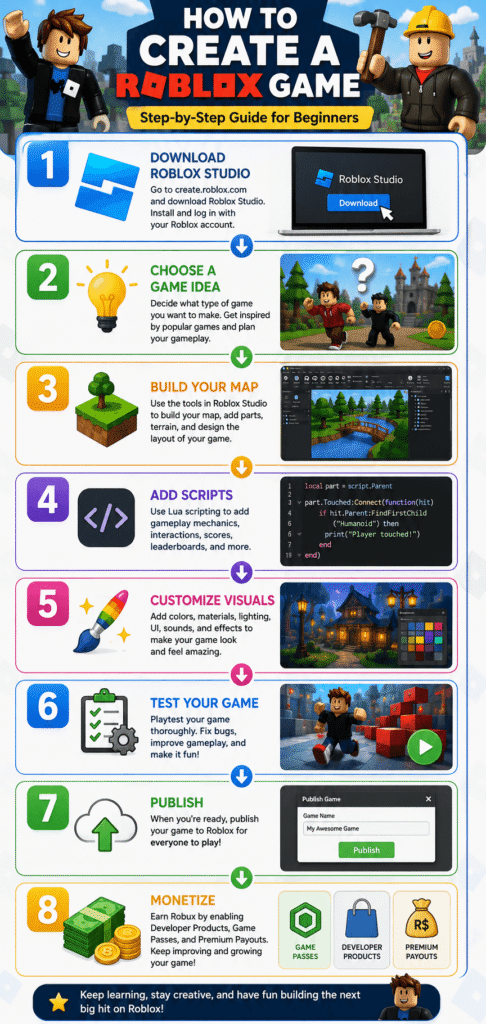
Step 1: Download Roblox Studio
Roblox Studio is the official game development tool provided by Roblox.
To get started:
- Sign in to your Roblox account.
- Download Roblox Studio.
- Install the software.
- Launch Roblox Studio.
After installation, you’ll see multiple templates such as:
- Obby.
- Racing.
- Village.
- Baseplate.
- City.
- Combat.
If you’re a beginner, the Baseplate template is often the easiest starting point.
Step 2: Choose Your Roblox Game Idea
Before building anything, decide what type of game you want to create.
Popular Roblox game ideas include:
| Game Type | Difficulty |
|---|---|
| Obby | Easy |
| Tycoon | Easy |
| Simulator | Medium |
| Adventure | Medium |
| RPG | Advanced |
| Survival | Medium |
| Horror | Medium |
| Battle Arena | Advanced |
Ask yourself:
- What makes your game unique?
- Who is your target audience?
- Will players return regularly?
- Can the gameplay evolve over time?
Having a clear concept makes development much easier.
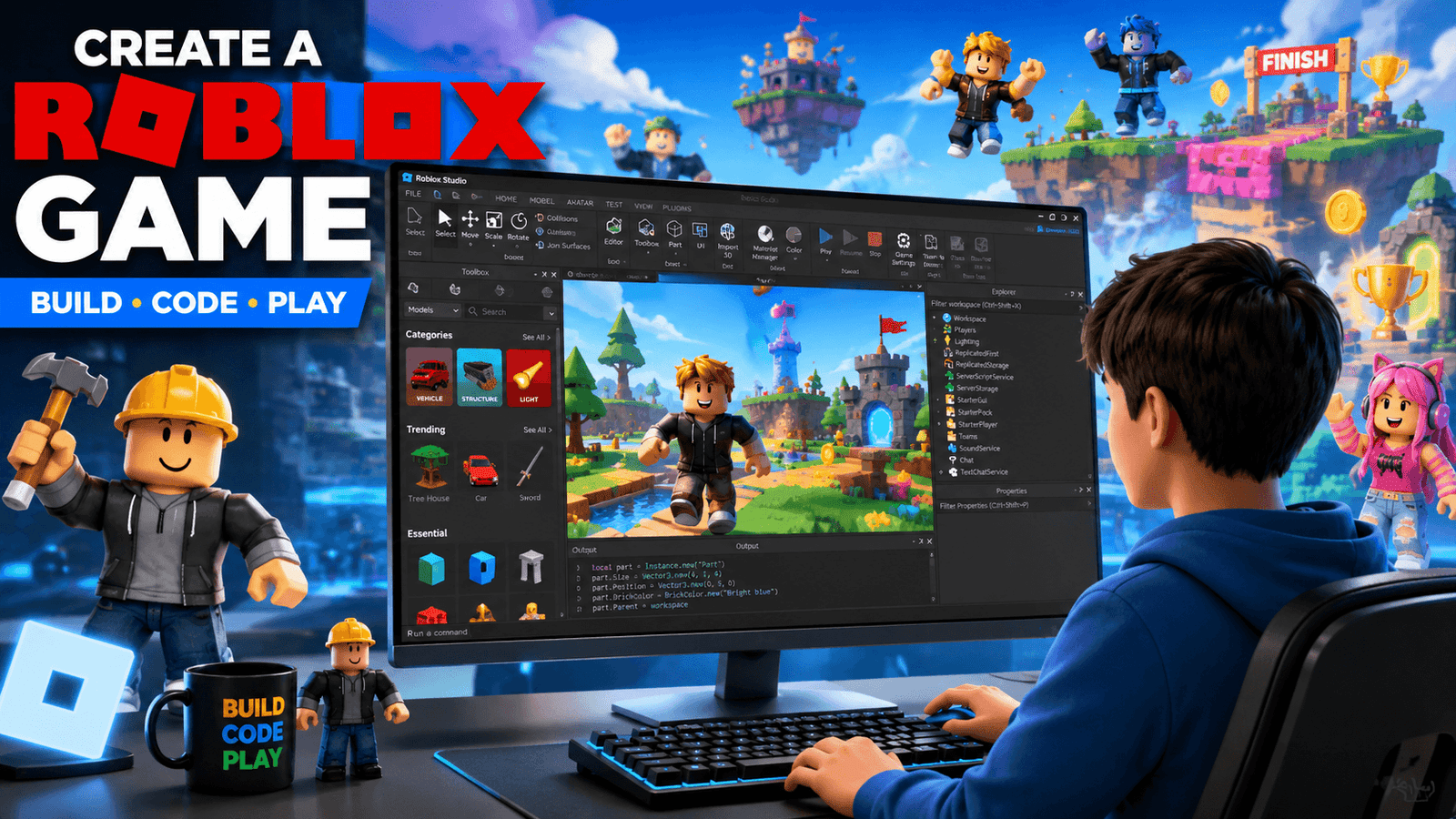
Step 3: Learn the Roblox Studio Interface
When you create a Roblox game, understanding the interface is essential.
Key sections include:
Explorer Panel
Shows:
- Objects
- Characters
- Scripts
- Assets
Properties Panel
Allows you to customize:
- Colors
- Materials
- Lighting
- Physics settings
Toolbox
Contains:
- Models
- Sounds
- Meshes
- Plugins
Workspace
This is where you’ll build your entire Roblox experience.
Taking time to explore Roblox Studio will significantly improve your workflow.
Step 4: Build Your First Roblox Map
Now comes the fun part—building your game.
Start with:
- Spawn locations
- Platforms
- Buildings
- Decorative objects
- Obstacles
Tips for beginners:
- Keep the map simple.
- Avoid clutter.
- Design for player movement.
- Use terrain tools wisely.
If you’re creating an Obby game, focus on:
- Jump challenges
- Checkpoints
- Moving platforms
- Difficulty progression
A clean layout improves player experience.
Step 5: Add Interactive Elements
Interactive gameplay keeps players engaged.
Examples include:
- Buttons
- Doors
- Collectibles
- Coins
- NPCs
- Teleporters
- Checkpoints
- Timers
These elements make your Roblox game feel more dynamic and enjoyable.
Step 6: Learn Basic Roblox Scripting
Roblox uses Lua scripting.
Some beginner-friendly scripts include:
- Opening doors
- Giving rewards
- Displaying messages
- Teleporting players
- Creating checkpoints
- Adding animations
You don’t need to become an expert programmer immediately.
Start small and gradually learn:
- Variables
- Functions
- Events
- Loops
- Conditions
Even basic scripting can greatly improve your game’s functionality.
Step 7: Customize Lighting and Visual Effects
Visual presentation matters.
Roblox Studio allows you to customize:
- Shadows
- Ambient lighting
- Skyboxes
- Fog
- Particle effects
Good lighting can dramatically improve:
- Atmosphere
- Realism
- Immersion
Avoid making environments too dark unless it fits your game’s theme.
Step 8: Add Audio and Music
Sound effects enhance gameplay.
Examples include:
- Background music
- Jump sounds
- Coin collection effects
- Combat sounds
- Environmental audio
Best practices:
- Use appropriate volume levels.
- Match sounds to gameplay.
- Avoid excessive or repetitive audio.
Audio can make your game feel more professional and engaging.
Step 9: Test Your Roblox Game
Before publishing, thoroughly test your game.
Check:
- Player spawning.
- Collision issues.
- Script functionality.
- Multiplayer compatibility.
- Mobile responsiveness.
- Performance.
Testing helps identify bugs early and improves user satisfaction.
Always play your game from a player’s perspective.
Step 10: Publish Your Roblox Game
Once everything works correctly:
- Click File.
- Select Publish to Roblox.
- Enter:
- Game title
- Description
- Genre
- Device compatibility
- Upload your experience.
Your game can be:
- Public
- Private
- Friends-only
Publishing is quick and can be updated whenever needed.
Read More ▶ How to Fix Ping in Fortnite: Complete Guide to Lower Lag and Improve Gameplay
Step 11: Optimize Your Roblox Game for Discoverability
If you want more players, optimize your game’s listing.
Use:
- Clear titles.
- Attractive thumbnails.
- Keyword-rich descriptions.
- Regular updates.
Include relevant keywords naturally such as:
- Create a Roblox game
- Make a Roblox game
- Create a game in Roblox
- Build a game in Roblox
Additional tips:
- Update your game frequently.
- Add new content.
- Encourage player feedback.
- Improve retention with rewards.
Consistent improvements can help grow your player base over time.
Monetizing Your Roblox Game
Roblox offers several monetization options.
Popular methods include:
- Game passes.
- Developer products.
- Premium payouts.
- Private servers.
- Cosmetic items.
- Exclusive content.
Before monetizing, focus on delivering a fun and polished gameplay experience.
Players are more likely to support games they enjoy.
Common Mistakes Beginners Should Avoid
Avoid:
- Building maps that are too large.
- Ignoring mobile players.
- Using too many free assets without testing.
- Publishing unfinished games.
- Neglecting bug fixes.
- Overcomplicating mechanics.
Simple, polished experiences often perform better than overly ambitious projects.
Read More ▶ Best Laptop for Fortnite in 2026: Top Picks for Smooth Gameplay
Pro Tips for Building a Successful Roblox Game
- Start with one core mechanic.
- Keep your first game simple.
- Learn Roblox scripting gradually.
- Play successful Roblox games for inspiration.
- Listen to community feedback.
- Regularly update your game.
- Optimize loading times.
- Design with multiplayer experiences in mind.
Consistency is one of the most important factors in Roblox game development.
Frequently Asked Questions (FAQs)
Is it free to create a Roblox game?
Yes. Roblox Studio is free to use, making it accessible for beginners and experienced developers.
Can beginners make a Roblox game?
Absolutely. Many creators begin with simple game templates and learn scripting over time.
Do I need coding skills?
No. Basic game creation can be done visually, although scripting allows for more advanced features.
How long does it take to build a Roblox game?
It depends on the project’s complexity. Simple games can take a few hours, while larger experiences may take weeks or months.
Can I earn Robux from my game?
Yes. Roblox provides several monetization options for eligible experiences.
What is Roblox Studio?
Roblox Studio is the official development environment used to create and publish Roblox experiences.
Which Roblox game is easiest to build?
Obstacle courses (Obbys) are among the easiest and most beginner-friendly game types.
Conclusion
Learning how to create a Roblox game is easier than many people expect. With Roblox Studio, anyone can build creative experiences, experiment with game mechanics, and publish games for players around the world.
Whether your goal is to make a Roblox game for fun, learn game development skills, or eventually monetize your work, starting with a simple project is often the best approach.
Take your time, keep improving your game, and enjoy the creative process of building something uniquely yours.